E-commerce plugins
Magento module
Install and configure the official Magento and Adobe Commerce payment module with native OAuth, DPoP-bound tokens, hosted MakePay checkout, and signed webhooks.
MakePay Magento Module
Overview
The official MakePay Magento module adds a hosted crypto checkout method to Magento Open Source and Adobe Commerce 2.4.x stores. Magento creates the order, MakePay creates the hosted payment link, and signed webhooks update the order after the payment status changes.
Use Connect MakePay for normal setup. Manual API-key credentials remain available as a fallback.
Before You Start
- Magento Open Source or Adobe Commerce 2.4.x
- PHP 8.1 or newer
- Admin access to Stores > Configuration > Sales > Payment Methods
- A MakePay company where you can manage payment settings
Install The Module
Download the latest ZIP:
https://plugins.makecrypto.io/downloads/magento/latest.zip
Extract the package so the module is located at:
app/code/MakePay/Payment
Enable it from your Magento root:
bin/magento module:enable MakePay_Payment
bin/magento setup:upgrade
bin/magento cache:clean
Connect MakePay
Open Stores > Configuration > Sales > Payment Methods > MakePay and select Connect MakePay. The module:
- Opens MakeCrypto in a browser tab.
- Asks you to sign in and choose the company that should receive payments.
- Shows the permissions needed by the Magento module.
- Returns you to Magento after approval.
- Saves the store connection in Magento encrypted configuration.
- Configures the MakePay webhook callback and webhook secret.
Configure MakePay
After connection finishes, keep Connection Method set to the default connected mode. Enable the payment method and review:
- Payment Method Name
- Checkout Experience
- Settlement Currency
- Payment Link Expiration
- Pending, paid, failed, cancelled, and refunded order statuses
Manual API-key fallback requires a MakePay Company ID, API key ID, API key secret, and webhook secret.
Checkout Flow
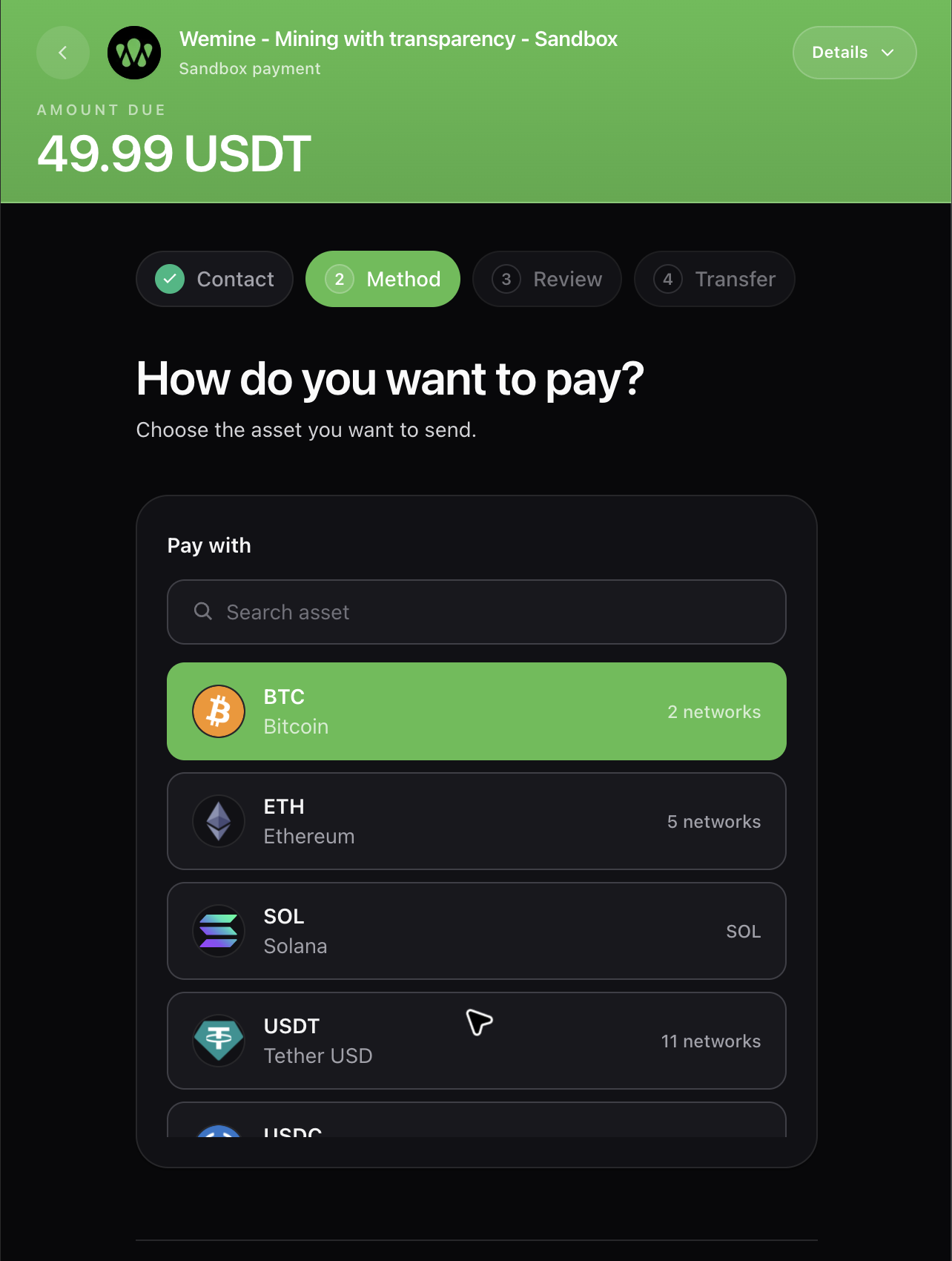
When a customer chooses MakePay, Magento places the order in pending payment, then opens the selected MakePay checkout experience. Hosted redirect is the recommended default; embedded checkout shows a secure MakePay iframe page with a hosted-link fallback.
The payment link payload includes:
| Field | Purpose |
|---|---|
source=magento | Identifies the integration |
orderId=magento_order_<id> | Maps MakePay activity back to Magento |
incrementId | Human-readable Magento order number |
magentoOrderAdminUrl | Lets MakeCrypto link administrators back to the Magento order |
moduleVersion | Installed MakePay module version |
magentoVersion | Magento or Adobe Commerce runtime version |
Order States
The webhook endpoint is /makepay/webhook/index. It verifies the
X-MakePay-Signature header before updating an order.
| MakePay status | Magento state |
|---|---|
paid, completed, confirmed, succeeded | Processing |
failed, expired | Canceled |
cancelled, canceled | Canceled |
refunded | Closed |
| Other statuses | Pending payment |
Each webhook writes a private order history comment with the payment status, public MakePay checkout URL, MakeCrypto dashboard URL, and available MakePay identifiers.
Security Notes
The module stores connection details in Magento encrypted configuration. Keep Magento admin access limited to trusted operators, and disconnect the store in MakeCrypto if an admin account or server backup is exposed.
The connection asks for these permissions:
company:readmakepay:payment-links:readmakepay:payment-links:writemakepay:customers:readmakepay:customers:writemakepay:settings:readmakepay:settings:write
Troubleshooting
If Connect MakePay cannot start, confirm the Magento base URL is HTTPS and
publicly reachable. If checkout redirects fail, confirm the module is enabled
and MakePay has either a saved connection or manual API-key fallback
credentials. If orders do not update, compare the webhook callback URL in
MakePay settings with the Magento /makepay/webhook/index URL and rotate the
webhook secret.